In a 20-to-100-person SME, marketing is often the responsibility of one or two people. No in-house designer, no agency budget for every LinkedIn visual, every trade show brochure, or every client presentation. The result: hours spent in inadequate tools, inconsistent visuals, and a permanent feeling of just patching things together.
Canva AI, through its Magic Studio suite, changes this equation. Since 2023, Canva has embedded more than 20 artificial intelligence tools directly into its editor. The goal: to let someone without design skills produce professional-grade visuals in minutes. Not a gimmick, a production tool that covers social media, presentations, marketing documents, and even image generation. Here is what Magic Studio concretely does, what it changes for a team without a designer, and where the real limits are.
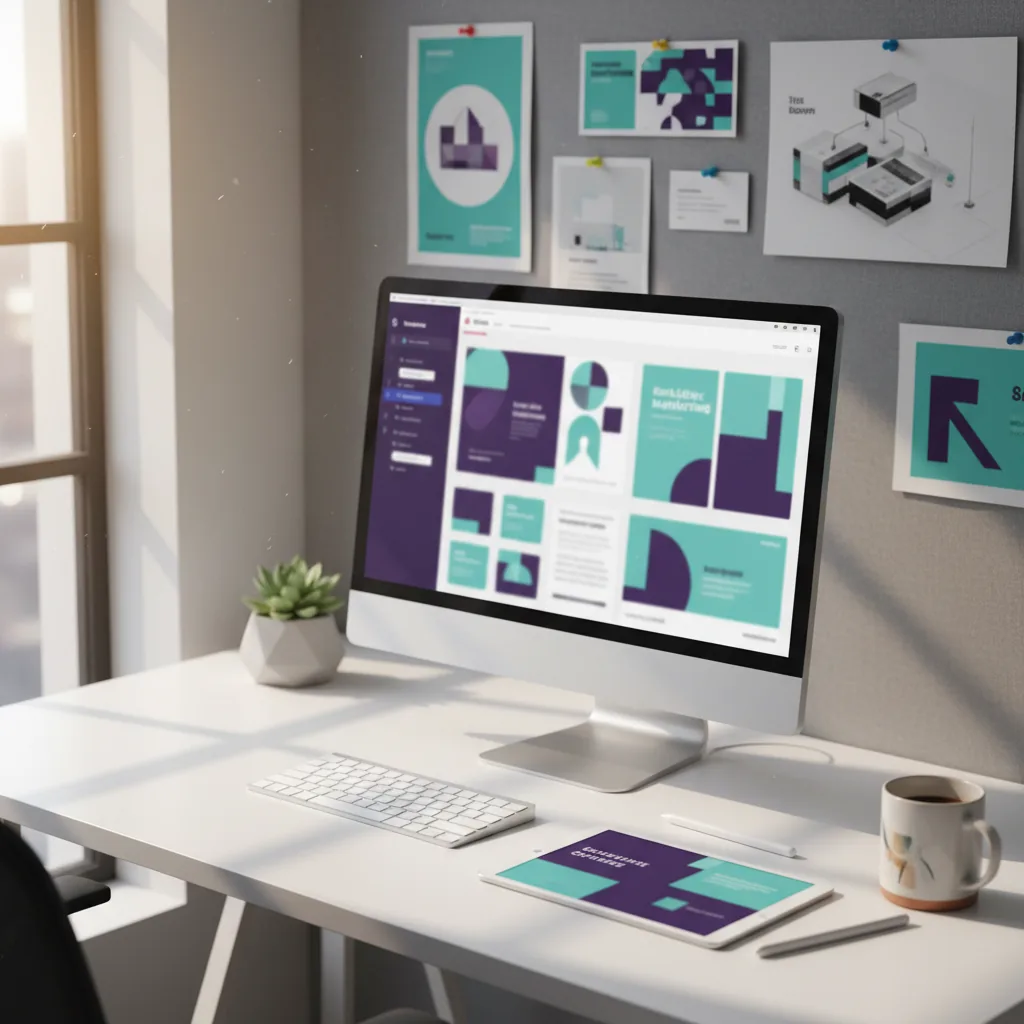
What Magic Studio Is (and Why It Is Different From a Template Editor)
Canva has existed since 2013 as an online design editor built around templates. But since October 2023, with the launch of Magic Studio, the tool has taken a fundamentally different direction. Magic Studio is not an AI assistant bolted on as a bonus feature. It is a suite of more than 20 AI tools natively integrated into the editor, transforming Canva from a "fill in a template" tool into a "describe what you want and the AI builds it" tool.
The fundamental difference from a classic template editor:
- Before: you pick a template, manually replace the text and images, adjust the layout by hand. Decent result, but generic.
- With Magic Studio: you describe your need in a few words, upload a file or select a style, and the AI generates the design, the text, the images, and the layout. You edit the result instead of building from scratch.
For an SME marketing team without a designer, this shift is tangible: the time to produce a visual drops from 45 minutes to 5-10 minutes. And the output quality is noticeably more professional than a manually filled template.
Canva Magic Studio's AI Tools, Feature by Feature
Magic Studio groups around ten major AI tools. They do not all serve the same purpose. Here are the ones that actually matter for day-to-day SME use.
Magic Design: the Full Mockup Generator
Magic Design is the core of Magic Studio. You describe your need in a sentence ("LinkedIn post announcing our presence at the Batimat trade show") or upload an image, and the AI generates several complete design proposals: layout, text, colors, visuals. You pick the one that works, adjust it, and it is done.
Magic Design works across all formats: social media posts, presentations, flyers, posters, Instagram stories, web banners. It is the tool that saves the most time day-to-day.
Magic Write: AI-Assisted Copywriting
Magic Write is Canva's integrated AI writer, built on OpenAI's technology. It generates text directly in your designs: slogans, product descriptions, brochure text, post captions, email marketing copy. You can ask it to rephrase, shorten, expand, or change the tone of existing text.
On the free plan, Magic Write is limited to 50 uses per month. On the Pro plan, usage is unlimited. For an SME producing 3-5 pieces of content per week, the free plan can be enough if used selectively.
Magic Media and Text to Image: Generating Visuals From Text
Magic Media (formerly Text to Image) is Canva's image generator. You describe the desired image in text, for example, "Professional photo of a carpenter in their workshop, natural light", and the AI generates the visual. Canva uses Stable Diffusion and its own technology under the hood.
The quality is sufficient for social media visuals or blog illustrations. For high-resolution ad images or product photos, specialized tools like Adobe Firefly deliver better results.
Dream Lab: the Advanced Image Generator
Dream Lab is Canva's premium image generator, based on Leonardo.ai's Phoenix model. It produces images of noticeably higher quality than standard Magic Media, with better style control: photorealism, illustration, 3D rendering, digital painting.
Dream Lab is exclusive to the Pro plan and consumes "AI credits." Use it when you need a visual that genuinely stands out, not for everyday posts, but for cover images, hero visuals, or campaign illustrations.
Magic Edit and Magic Eraser: Photo Retouching Without Photoshop
Magic Edit lets you select an area of an image and replace it with something else via a text prompt. Select an object in a photo and type "Replace with a bouquet of flowers." The AI generates the replacement while respecting the lighting and style of the original photo.
Magic Eraser is simpler: it removes an unwanted element from an image (a passerby in a background, a logo on a wall, a distracting object). Select the area to remove, the AI reconstructs the background. It is the equivalent of Photoshop's Generative Fill, but in 3 clicks and without an Adobe subscription.
The real win for an SME without a designer
Before Magic Edit and Magic Eraser, retouching a photo required Photoshop and the skills to use it. Today, a marketing manager can remove a background, erase a distracting element, or modify a visual directly in Canva in 30 seconds. This kind of eliminated friction is what genuinely shifts productivity.
Magic Switch: Adapt Any Design to Every Format in One Click
You created a square LinkedIn post and also need it as an Instagram Story, a Twitter banner, and an A4 poster? Magic Switch resizes and automatically adapts your design to any format. The AI does not just crop: it repositions elements, adjusts text sizes, and reorganizes the composition.
For a team publishing across 3-4 channels, Magic Switch eliminates the repetitive work of format adaptation. One base design, five output formats.
5 Concrete Use Cases for SMEs Without a Designer
Beyond the features, here are the real situations where Canva AI makes a measurable difference for a lean marketing team.
1. Weekly Social Media Content Production
This is the number one use case. An SME publishing 3 LinkedIn posts, 2 Instagram stories, and 1 carousel per week easily spends 4 to 6 hours on visual creation. With Magic Design and Magic Switch, that time drops to 1 to 2 hours. You generate a base visual, adapt it across all formats, and Magic Write produces the captions.
Concrete gain: 3 to 4 hours recovered per week, nearly half a day. Over a month, that is one to two working days reinvested in strategy rather than layout.
2. Client Presentations and Sales Decks
A salesperson preparing a client deck is not a designer. With Magic Design for presentations, they describe the subject, Canva generates the structure and design, they fill in the content. The result is more professional than a hand-built PowerPoint, and it takes 15 minutes instead of 2 hours. For more complex presentations with automatic content generation, Gamma remains a useful complement.
3. Print Materials: Brochures, Flyers, Business Cards
Canva offers professional print-ready templates with bleed, CMYK, and high-resolution PDF export. Magic Design generates layout proposals from your text. For a trade show flyer, a 4-page brochure, or business cards, it is sufficient without hiring a designer. Canva even offers direct printing through its integrated print service.
4. Email and Newsletter Visuals
Email headers, newsletter banners, and promotional visuals are a recurring need. Magic Design generates visuals at the exact dimensions of the major email tools (Mailchimp, Brevo, HubSpot). Combine with Magic Write for subject lines and you have a complete email marketing creation workflow without leaving Canva.
5. Brand Kit: Maintaining Visual Consistency Without a 50-Page Style Guide
Canva's Brand Kit (Pro plan and above) centralizes your colors, fonts, logos, and graphic styles. Once configured, all designs generated by Magic Design automatically respect your visual identity. No need to check each visual: the colors are right, the logo is placed correctly, the typography is consistent.
For an SME without a formal brand guide, this is a pragmatic solution: define 3 colors, 2 fonts, and your logo, and Canva handles consistency across all your materials.
Canva Pricing in 2026
Cost is central for any SME. Here is the pricing grid and what each plan unlocks in terms of AI tools.
| Feature | Free | Pro (€12/month) | Teams (€27/month, 3 users) |
|---|---|---|---|
| Magic Design | Limited access | Unlimited | Unlimited |
| Magic Write | 50 uses/month | Unlimited | Unlimited |
| Magic Media (Text to Image) | Limited | 500 uses/month | 500 uses/month per person |
| Dream Lab | No | Yes (limited credits) | Yes (limited credits) |
| Magic Edit / Eraser | No | Yes | Yes |
| Magic Switch | No | Yes | Yes |
| Brand Kit | No | Yes (1 kit) | Yes (multiple kits) |
| Storage | 5 GB | 1 TB | 1 TB |
| Template and asset library | 3 million | 100+ million | 100+ million |
Our recommendation for an SME: start with the free plan to test the basics. If you produce visuals regularly (more than 3 per week), the Pro plan at €12/month is the best investment. It unlocks Magic Edit, Magic Eraser, Magic Switch, Dream Lab, and the Brand Kit, the tools that make a difference day-to-day. The Teams plan is only justified from 3 people using Canva simultaneously.
What Canva AI Cannot Do: The Real Limits
Canva Magic Studio is powerful for everyday needs. But it has limitations worth knowing to avoid disappointment.
Image Generation Falls Short of Specialized Tools
Magic Media and Dream Lab produce decent visuals, but quality remains below what Midjourney, DALL-E 3, or Adobe Firefly produce in terms of realism, detail, and creative control. For social media visuals, it is sufficient. For an ad campaign or a hero page visual, use a dedicated tool.
Magic Write Is Not a Professional Copywriter
Texts generated by Magic Write are functional but generic. For a campaign tagline, a brand baseline, or high-value copy, human editing and rewriting remain essential. Magic Write is a first-draft accelerator, not a copywriter replacement. For more demanding writing needs, ChatGPT offers more flexibility and depth.
Bespoke Branding Hits a Wall
The Brand Kit is practical for maintaining basic consistency (colors, fonts, logo). But if your brand requires a complex design system with specific composition rules, multiple variations, and fine-grained positioning control, Canva is not enough. A designer or a tool like Figma remains necessary for structured branding work.
High-End Print Has Limits
Canva exports high-resolution PDFs and handles print bleed. But for a 50-page catalog, a premium institutional brochure, or product packaging, layout limitations become apparent. Desktop publishing software (InDesign) remains superior for complex print work.
Template Dependency Is Real
Despite the AI tools, Canva remains a template-driven tool. Creativity is guided, not free. If you want a design that looks like nothing else out there, Canva is not the right tool. For an SME that needs professional, consistent visuals without extreme originality, that is a feature. For a brand that bets heavily on visual differentiation, it is a constraint.
When Canva AI is not enough: the 80/20 rule
In practice, Canva Magic Studio covers 80% of an SME's visual needs: social posts, presentations, internal documents, email visuals. The remaining 20% (strategic branding, premium campaigns, complex print, high-end product photography) requires specialized tools or skills. The right approach is not "Canva or a designer" but "Canva for the everyday + a designer for high-stakes projects".
Canva AI vs. Alternatives: Which Tool for Which Need
Canva is not the only AI-assisted design tool. Here is how it compares to the main alternatives.
| Criterion | Canva Magic Studio | Adobe Express | Microsoft Designer |
|---|---|---|---|
| Price (pro tier) | €12/month | €11/month (or included in Creative Cloud) | Free (included in Microsoft 365) |
| AI image generation | Magic Media + Dream Lab | Adobe Firefly (high quality) | DALL-E 3 (via Copilot) |
| AI copywriting | Magic Write | Limited | Copilot |
| Template library | The largest (100M+) | Large but less comprehensive | Decent, growing |
| AI photo retouching | Magic Edit + Eraser | Firefly Generative Fill (superior) | Basic |
| Best for | SMEs without a designer, versatile use | Teams already in the Adobe ecosystem | Microsoft 365 teams |
In summary: Canva is the most pragmatic choice for an SME starting from zero in design. Its template library is the largest, its AI ecosystem is the most complete in a single tool, and its price is accessible. Adobe Express is better for photo retouching (thanks to Firefly), and Microsoft Designer is interesting if you are already on Microsoft 365.
How to Get Started with Canva Magic Studio in 4 Steps
No training required. Here is how to get your first professional visual in under 10 minutes.
- Create a free account at canva.com. An email address is enough, no credit card required.
- Set up your Brand Kit (Pro plan): add your logo, your 3 main brand colors, and your fonts. All generated designs will automatically respect your visual identity.
- Launch Magic Design: click "Create a design," select the desired format (LinkedIn post, Story, presentation...) and describe your need. The AI generates several proposals.
- Edit and export: adjust the text, modify images if needed with Magic Edit, and export in the right format (PNG for web, PDF for print, MP4 for video).
Tip to save time from day one
Start by creating a folder of custom templates. Generate one design for each recurring content type (LinkedIn post, Story, email banner) and save it as a template. Next time, duplicate the template instead of starting from scratch. With the Brand Kit, all your visual output stays consistent without effort. It is the same logic as with any AI tool: invest 30 minutes of setup to save hours every week.
Go Further
Canva Magic Studio is an excellent starting point for AI applied to visual marketing. Here are complementary resources:
- Adobe Firefly for commercial images: when you need AI-generated images of superior quality with legal safety
- ChatGPT for SMEs: a complete guide to integrating conversational AI into your daily workflow
- All our AI tool reviews: a catalog of tested and evaluated AI tools for businesses
- AI audit for your business: identify all the processes where AI can save you time, not just design
Frequently Asked Questions
Going further
Canva AI speeds up your visuals. To integrate AI across your full business processes, we can help.

